
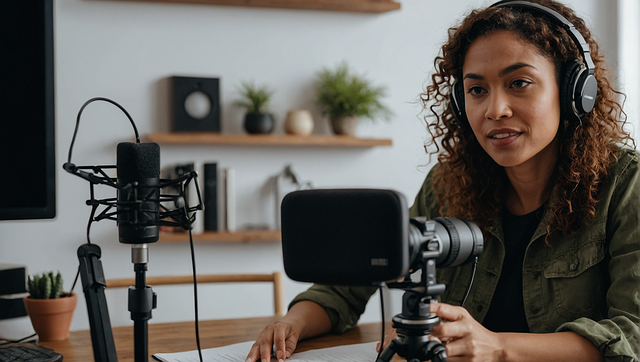
The Audio and Voice AI tools are a continuation of our lessons on the 100 different AI platforms that help enhance our content creation. The Audio and Voice AI tools are among the 100 different AI platforms that we can use for our daily contents.
This week’s lectures will cover the audio and voice AI tools. These are among the 100 AI platforms that we can use to enhance our productivity, content creation and video production. Take these lessons gradually and learn from them.
Read More
50 powerful AI prompts you can use to transform your original photo
AI TOOLS FOR IMAGES and VIDEOS . 100 AI platforms volume 3
Writing and Content Creation AI; 100 AI Platforms Volume 2
First Lecture for the Month of March
Second Lecture for the Month of March.
What are Audio and Voice AI Tools?
The Audio & Voice AI tools are software that can help you to turn written text into spoken voice. Just type the texts and allow these AI tools to turn them into an audio creation.
We can also use them to create voices that sound like real humans. These audio and voice AI tools can also help us clone voices (even yours). Some are used to change your voice instantly.
What you have to do is to simply type the texts and allow AI to speak. You type, then AI speaks or You speak, then AI improves or changes your voice.
We need these tools because before now, before you produce a podcast, you need A microphone, A quiet studio and A good voice.
Now with AI, You only need text, then AI will do the remaining. This means that you can create videos without speaking. You can build content faster and You can scale your work daily
Let us take them one by one.
1.ElevenLabs (Best Realistic Voice AI).
This is the link: https://www.elevenlabs.io
This Ai is one of the best when you want to produce the best Realistic Voice AI. The ElevenLabs creates very natural, human-like voices from text.
It is one of the most realistic voice tools in the world. Many people use Eleven labs because it is very good at audio creation. This is the reason we feature it in the Audio & Voice AI tools that we can use to create contents.
Elevenlabs is good for voiceovers for videos. You can use it to create videos for YouTube, TikTok, and Facebook. We can use it to generate audio for Storytelling, prayers, and audiobooks.
You can use it and generate audiobooks for sales. Elevenlabs generates voices with an extremely realistic voice (almost like a human). They have emotional tone (calm, serious, joyful), Voice cloning (you can copy your own voice) and support multiple languages.
For example, Mr. A writes a morning prayer. He can also generate the prayer from grok or gemini ai, then He pastes it into ElevenLabs. The AI will read it like a real priest speaking. He adds it to his video.
Or Mr. A wants to post daily content but is tired of recording. He types: “God is with you, do not be afraid” ElevenLabs will generate the voice. Then, He uses it in CapCut
This is best for you if, you want very powerful emotional voice content.
2. Murf AI.
This is one of the Audio & Voice AI tools. It is good for professional Voiceovers. This is the Link: https://murf.ai/ Many content creators use Murf AI. Murf AI is good for creating clean and studio quality voiceovers.
Murf creates clean, studio-quality voiceovers, especially for professional use. This AI is among the Audio and Video tools, many people use in Business or church presentations. Some people also use MURF AI for educational and teaching videos
Murf AI have clear and professional sound, adjust speed, pitch, tone, built-in editor for syncing voice with slides and great for formal content.
For example, Mr. A prepares a church teaching. He uploads his script. Murf reads it clearly. It sounds like a trained speaker
Or maybe Mr. A creates a course. He Uses Murf instead of recording. This helps save time and effort. This is the best for you if, You want clean, professional voice (not too emotional)
3. Speechify (Reads Text for You).
This is a special tool among the Audio and Voice AI tools. The link is https://speechify.com/ Speechify reads any text aloud for you. You can use it when you want to listen to books, notes, or PDFs. You can use it in learning faster while doing other things.
This AI reads websites, PDFs, and documents with an adjustable speed (very fast reading). It works on mobile and desktop. By doing this it helps with focus and productivity.
For Example, Mr. A has a long document to read, he uploads it and Speechify reads it aloud. He listens while resting. Or Mr. A is walking or traveling. He uses Speechify to listen to content.
He learns without sitting down. This is best for you if you want to consume information faster
4. PlayHT .
This Ai is also good for Voice Cloning and narration. We also feature it among the Audio and Voice AI tools.
The link is https://play.ht. PlayHT creates AI voices and can clone real voices. We use the AI for Voice cloning (your voice or others). It is also good for narration for videos and podcasts.
We can use this app to Clone your own voice. We can use the ai to clone also many voice styles and accents, high-quality narration and API for advanced users.
For Example, Mr. A wants his voice on all videos. He clones his voice. AI speaks for him. He still keeps his identity.
Or Mr. A creates daily audio messages. Then he uses PlayHT voice for consistent and fast production. This is the best for you if you want your own voice without recording daily.
5. Voicemod AI.
This is the real-Time Voice Changer. The Link is https://www.voicemod.net.
Voicemod changes your voice instantly while speaking. It is mainly for Entertainment and content creation. Many also use it for live streaming or gaming. This is one of our best tools among the Audio and Voice AI tools.
The Ai has real-time voice effects and many voice styles (robot, deep, funny, etc.). It is also easy to use. It works during live recording.
For example, Mr. A creates fun content, then changes his voice to deep or dramatic. This makes the content more engaging.
Or Mr. A goes live. Then he uses voice effects, with this AI, to keep his audience entertained
This is the best if you want fun, creative, or engaging voice content.
HOW YOU CAN COMBINE THEM .
You can combine all them in content knowing the different functions of each. It helps you to create professional content that will scale you higher. Let us continue to use Mr. A as an example. Now Assuming Mr. A wants to create daily content. Then He will do these below:
a. He writes a script, with chatgpt, gemini or claude.
b. He can use ElevenLabs,assuming he wants a clean emotional voice.
c. He can use PlayHT for a consistent voice identity.
d. Then, he may use Voicemod just to have a creative variation.
e. Then Mr. A can use Speechify to review the content.
f. He can use Murf to give professional presentations.
Using the above Audio and Voice AI tools, will sharpen your daily content, with no stress and yet you will end up creating high quality content.
Practical System you can follow Daily using Audio & Voice AI tools to make Money on YouTube, Facebook, and TikTok.
Step 1:
First, you have to use any AI (like ChatGPT or your own ideas). Create short inspirational messages, bible reflections, motivational content, life lessons, experiences etc.
For example, you can create a topic like “God is still working in your life”. Use the chatgpt to generate a script for the topic. Keep the script to fit like 30–60 seconds,which is very important for TikTok & Reels.
STep 2:
This is the time to generate the voice. You can use ElevenLabs which is actually the best choice for this. You can add PlayHT for consistency. Here, you now paste the script into ElevenLabs. The Ai will generate an emotional and powerful voice for the text. Then, download the audio. Try to use a calm, deep, emotional voice. This performs better for faith content.
Step 3:
Here in step three, you can now use CapCut, Pictory and Canva. Use them to add background like clouds, light, your image, and Jesus images. Add subtitles or captions and add soft music.
When you open the capcut, click add audio and Upload the voice, Add your image or Jesus image at the main timeline. Click add text.
And add the title “God is still working in your life”. You can also click the “auto captions” to generate captions and subtitles for the message. This creates a powerful short video.
With elevenlabs you do not need to record your voice. Always know that people wATCH with eyes, not ears. So, you can add many images. Your visuals must be strong.
Step 4.
This is where you do what I call a post DISTRIBUTION STRATEGY. You can post the same video on TikTok, Facebook Reels and YouTube Shorts. Make sure you post 2–3 times daily.
Step 5.
This is the most important part. Once you grow to 1000 subscribers, you can be invited for youtube monetisation. Here, the Ads pay you. You can also earn from the shorts bonus and channel membership. You can have a passive income.
For Facebook Monetization, you can earn with In-stream ads, Bonuses (if available), Page growth through sponsorships. Then for TikTok Monetization, you can earn through Creator fund, Live gifts when you go live, video gifts and brand deals.
Finally, you can sell your ebook, or any of YOUR OWN PRODUCT. You can also promote your business and sell from there. This is where real money comes. You can sell your ebook (prayers, healing, motivation), Courses, WhatsApp group access, personal cooching from this thing you just learnt or a mentorship.
You can say after your video that “If you want this ebook, check the link in bio”. Drop your link. It could be your whatsapp or website link. This will send people to the WhatsApp group, website and Ebook.
Step 6: Do this DAILY:
- Write 3 short scripts
- Convert to voice (ElevenLabs)
- Create 3 videos
- Post on 3 platforms
That is 9 posts daily
If you are consistent. This is what will happen. For week 1–2, you will have Low views. From Week 3–4, Some videos will blow up. Then Month 2, the Page grows fast. In the Month 3, your monetization will start.
The secret you have to understand is that it is not about one video. It is about consistency and volume.
Make sure that every video must have:
- Hook (first 3 seconds) example “Listen to this carefully…”
- Message. Make it emotional or relatable
- Call to Action . Here, you can say “Follow for more”
You don’t need an expensive camera, studio and expensive setup. You only need a phone, AI tools and consistency.
What did you learn from above. Drop your comments.
Leave a Reply