
Good Video editing Apps are very important for your video. Do you know that Video content has become one of the most powerful ways to tell a story and grow an audience?
Good Video Editing apps help us to build a brand online. So, this is why I decided to enlist all the video editing apps that we need for our video editing.
So, what this means is that before you can upload that killer video to TikTok, YouTube, or Instagram, you need the right editing tools. They are very important to our editing skills.
Over the years, I have personally used and tested many video editing apps. I listed them below. Many of them offer free solutions for beginners and powerful professional tools. This list covers the best options you can start with today.
Whether you are a beginner taking your first steps or a seasoned creator polishing your craft, I know that these video editing apps will offer great value.
1. CapCut

One of the Good Video Editing Apps we can use is Capcut. You can download it through google playstore, for android users, through the apple store for ipad and iphone users and then at www.capcut.com for desktop users.
CapCut is one of the most popular and beginner-friendly video editing apps today. Some of the features are free, easy to use, and packed with features such as multi-track editing, transitions, filters, and effects, music library and many AI tools for auto captions. Because it is mobile-first, I find it perfect for quickly editing TikToks, Reels, and Shorts without needing a computer. It is also good for beginners, social media creators.
YOU CAN READ
Best Photo Editing Apps You Can Use
The Inspiring Success Story of Mr Macaroni
Step by Step Guide to Create an Ebook with Google Documents
How to Sell Ebooks Online to Any Country of Your Choice
How to Do Simple Editing on Capcut, Add Texts and Audio to Your Video
2. InShot (Free / Paid)
One of the Good Video Editing Apps we can use is inshot. You can download it through google playstore, for android users, through the apple store for ipad and iphone users and then at www.inshot.com for desktop users.
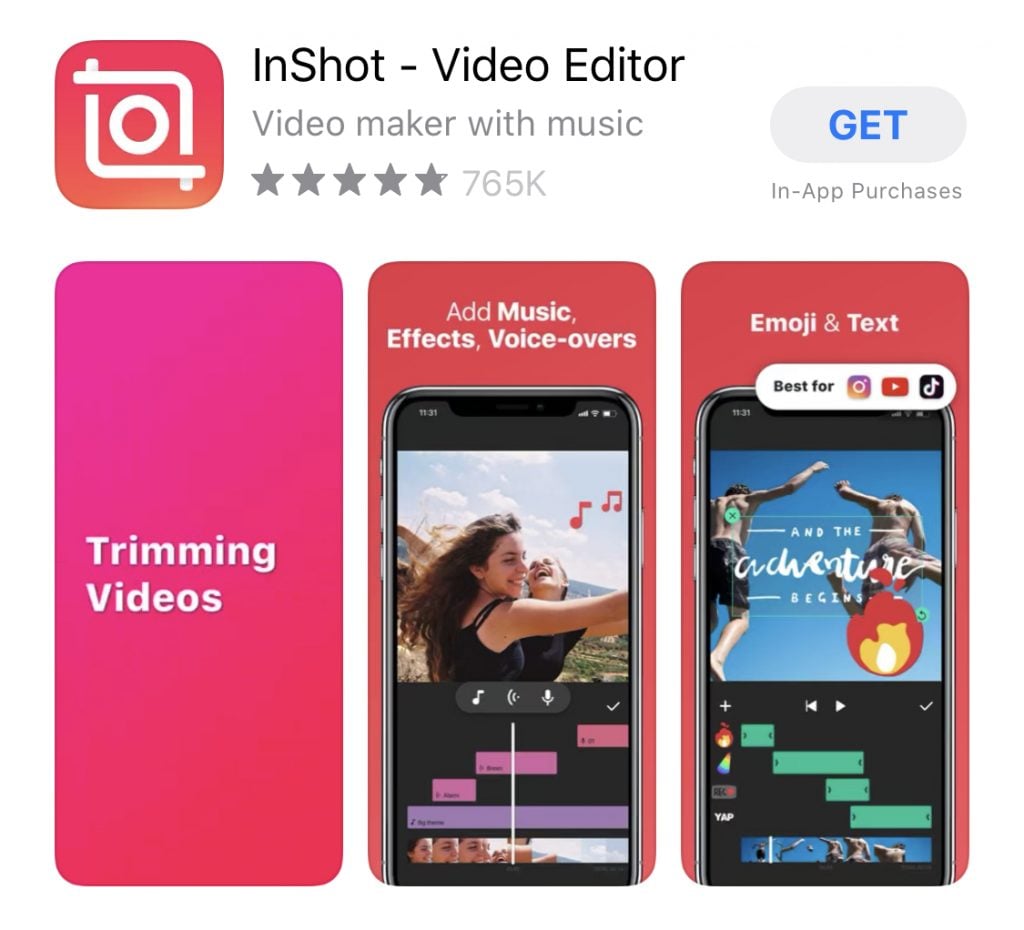
One of the Good Video Editing Apps you can use is Inshot. InShot is another favorite mobile editor because of its simplicity and versatility. With InShot, you can have easy trimming and cutting, text and stickers, speed controls, background blur for vertical videos.
The free version works well, and the paid upgrade gives you extra effects, higher export quality, and no watermarks. Therefore, it is the best for social media posts and quick edits.
3. Adobe Premiere Rush (Free / Paid)
One of the Good Video Editing Apps we can use is Adobe Premiere Rush. You can download it through google playstore, for android users, through the apple store for ipad and iphone users and then at www.adobe.com or www.adobe-premiere.en.softonic.com for desktop users.
Adobe Premiere Rush brings the power of Adobe to beginners. Therefore, It is less complex than Premiere Pro but still very capable.
The key features are multi-platform editing (mobile + desktop), syncs across devices and built-in templates and audio.
While the free plan limits export count, the paid version unlocks more features and higher resolution exports. This the best for beginners heading toward pro editing
4. DaVinci Resolve (Free / Paid)
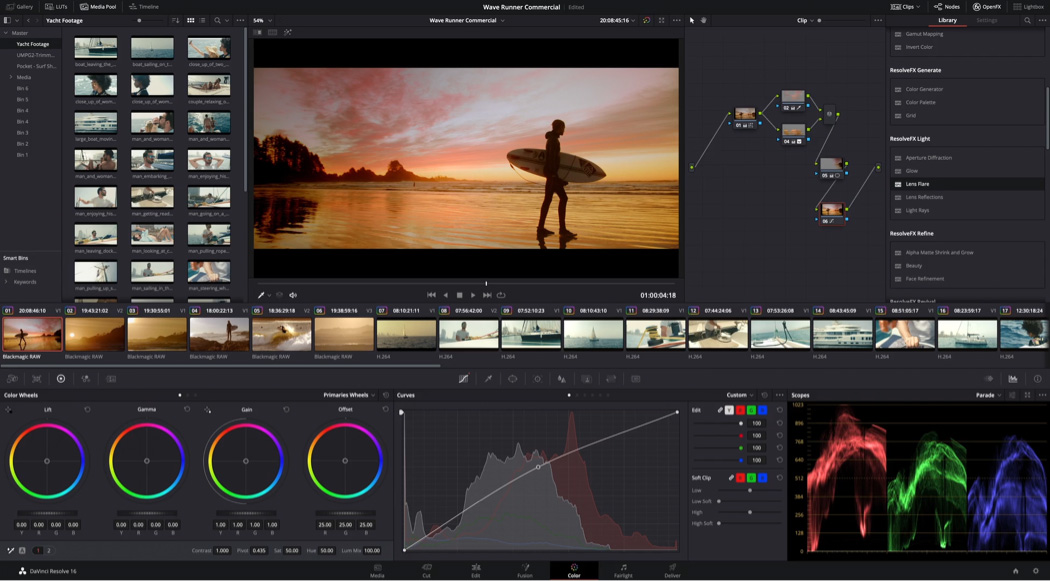
This app is very powerful. You can download it here from black design. If you want pro-level editing without paying at first, DaVinci Resolve is a beast. It is one of the most powerful free editors for colour grading, advanced trimming, audio mixing, multi-cam editing etc.
The learning curve is steeper, but if you stick with it, you will have a tool professionals use for movies and commercials. It is good for pro editors.
5. Filmora (Free / Paid)
Filmora is like the sweet spot between beginner tools and professional editors. Therefore, It is intuitive and offers drag-and-drop timeline, lots of built-in presets, easy export options etc.
So, the free version adds a watermark, but the paid plan removes it and gives you more effects and templates. It is good for YouTubers and casual editors.
Therefore, one of the Good Video Editing Apps we can use is Filmora. You can download it through google playstore, for android users, through the apple store for ipad and iphone users and then at www. filmora.wondershare.net for desktop users.
6. KineMaster (Free / Paid)
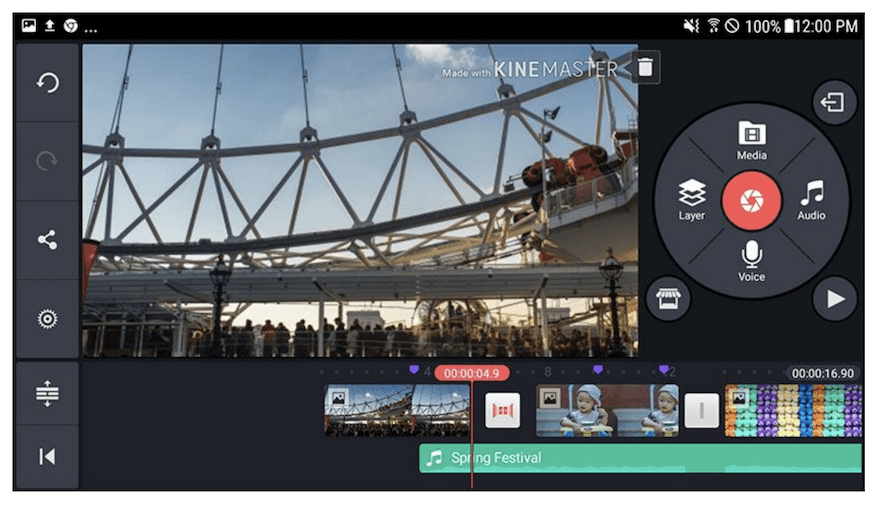
KineMaster takes mobile editing up a notch. It is one of the few mobile apps with a multi-track timeline, meaning you can layer videos, audio, and effects like a pro.
Other benefits are chromakey (green screen), real-time audio mixing, speed controls etc.
The free version includes a watermark, but the paid plan removes it and unlocks more assets.
It is good for mobile editors who are ready to level up. You can download at kinemaster.com.
7. iMovie (Free, Apple Only)
If you are on iPhone or Mac, iMovie is a great starting point. It is free, reliable, and intuitive. This app has simple timeline editing, transitions and effects, and trailer templates. So, iMovie is not as feature-rich as some others, but for quick edits, it is perfect. It is the best for Apple users and beginners. Search on apple store.
8. Adobe Premiere Pro (Paid)

For serious content creators, Adobe Premiere Pro is an industry standard. Therefore, Professionals use it for YouTube, film, and TV.
With Premiere Pro, you can have advanced editing tools, powerful effects and colour grading, seamless integration with Adobe Creative Cloud. Hence, it is not free, but if you plan to go pro, it is worth every cent. This is good for professional editors and YouTubers
Therefore, it is one of the Good Video Editing Apps we can use. You can download it through google playstore, for android users, through the apple store for ipad and iphone users and then at www.adobe.com or www.adobe-premiere.en.softonic.com for desktop users.
9. Final Cut Pro (Paid, Mac Only).
Final Cut Pro is Apple’s professional editing software. It is fast, stable, and great for heavy projects. It has magnetic timeline for fast editing, Pro color tools and optimized for Mac hardware
The initial cost is high, but many creators find it worth the investment. It is good for Pro editors on Mac.
10. Shotcut (Free)
Shotcut is one of the best fully free desktop editors available. It has open-source and offers multi-track editing, advanced filters, and wide format support.
The interface looks less polished than others, but if you want a powerful tool without paying anything, Shotcut delivers. So, it is good for beginners and budget editors
How to Choose the Right App.
If you are just starting, choose capcut, inshot, or iMovie. If you are Growing your skills, use filmora and kinemaster and if you want to be professional, choose Premiere Pro and DaVinci Resolve.
It is good to match the tool to your current level and goalsl. Tools help a lot.
Conclusion.
Video editing can feel so overwhelming. Most creators benefit from starting with something simple and graduating to more advanced tools as they grow. Pick one from this list, stick with it, and watch your editing skills and output improve.
Nice one Padre, May God continue to strengthen you, Amen
THANK YOU SO MUCH FR
FR PLEASE TELL US ABOUT MONETIZATION,HOW TO GET MONETIZED,ALL WE NEED TO KNOW ABOUT MONETIZATION
AGAIN HOW TO HAVE YOUR OWN ACCOUNT TO WITHDRAW YOUR MONEY ON TIKTOK BECAUSE SOMEONE LIKE ME I USED TO USE SOMEBODY’S ACCOUNT BUT I WANT TO HAVE MY OWN ACCOUNT AND WITHDRAW MYSELF PLEASE HOW DO I DO IT
THANK YOU
I MEAN FACEBOOK MONETIZATION
THANK YOU SO MUCH FR
FR PLEASE FOR THE CAPCUT,IS THERE ANYWHERE YOU CAN REMOVE THAT THEIR LOGO THERE BECAUSE WHEN I EDIT THERE,IT CARRIES THAT LOGO AND IT DOESN’T HAVE CROP,THEN IF I CARRY IT TO INSHOT I OBSERVE THAT INSHOT CUTS THE VIDEO LIKE WHAT I MEAN BY CUTTING THE VIDEO IS THAT IT DOESN’T COME OUT FULL,THE TWO SIDES OF THE VIDEO WILL BE CUT AND YOU WILL BE SEEING ONLY THE CENTRE,THE VIDEO WON’T BE FULL AGAIN THE WAY IT WAS BEFORE TAKING IT TO THE INSHOT PLEASE IS THERE A SOLUTION TO THESE?
We look into it
Thanks for all you do father, Please I would love if virtual Assistant courses are introduced.
I want to learn how to edit videos like how to create content sir
we have done it already. check the list