
Best Photo Editing Apps You Can Use (Beginner to Pro Friendly).
Best Photo editing apps one can use for editing of photos has been a worrisome problem for many creators, especially with the overwhelming number of options available today. From beginners to experienced creatives, many people struggle to decide which app truly delivers quality, ease of use, and flexibility.
I have taken time to analyze the photo editing apps that are currently in use, considering factors such as editing tools, user interface, performance and overall value. It is important to choose the right photo editing app—one that aligns with your creative goals, saves time, enhances your editing process, and helps you produce visually appealing content without unnecessary stress.
Over the years, I have tested many photo editing apps, some out of curiosity, while others are out of necessity. Through this experience, I have learned one important truth: the best photo editing app is not the most complicated one, but the one that fits your workflow.
As someone who creates content regularly for my reflections, blogs, social media, and digital projects, I understand the importance of using tools that support growth and creativity. The right photo editing app can improve your skills, boost your confidence, and elevate the quality of your visual content.
In this post, I will share photo editing apps I have personally used or worked with extensively, what each one is best for, and who I honestly recommend them to. Whether you’re a beginner, content creator, blogger, or business owner, this list will help you choose wisely based on your needs and workflow, ensuring you get better results with your photos.
1. Snapseed – Simple, Powerful, and Free.
You can download Snapseed from Google Playstore. or from the link here
Snapseed is one of the first serious photo editing apps one can ever use, and it’s one I still return to. It is completely free and surprisingly powerful, making it a reliable tool for both quick fixes and thoughtful edits.
What I like most about Snapseed is how clean and simple it feels. You don’t feel overwhelmed by too many tools, yet you can still achieve professional-level results. The app allows you to:
- Adjust brightness, contrast, and saturation
- Selectively edit specific areas of a photo
- Sharpen images without destroying quality
Snapseed is the best for beginners, bloggers, casual creators who want fast stress-free edits without sacrificing quality. It is especially helpful when you need to enhance photos quickly while maintaining a natural, polished look.
2. Adobe Lightroom – My Go-To for Professional Editing
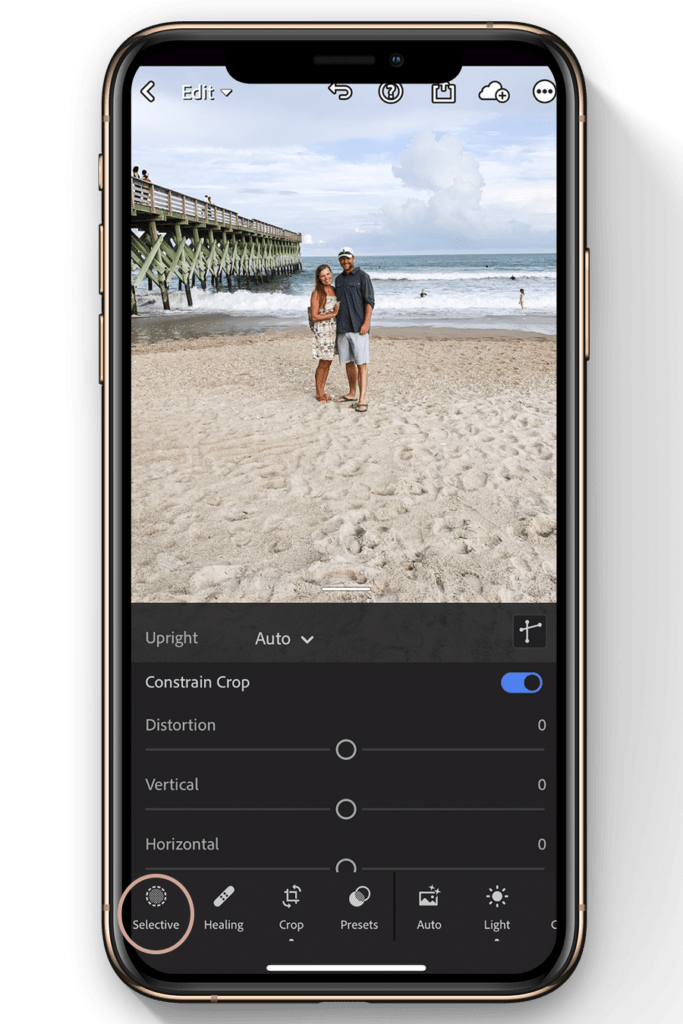
If I want my photos to look clean, consistent, and professional, Lightroom is my first choice. It takes a bit of time to understand, but once you do, the results are worth it.
What makes Lightroom special is control. You can fine-tune colors, lighting, shadows, and highlights without ruining image quality. Presets also save a lot of time and help maintain a cohesive editing style.
This the best for Serious content creators and photographers. Why I recommend it: Professional results with full creativity control and long-term editing flexibility.
3. Canva – More Than Photo Editing.
Go to www.canva.com. Canva is not just a photo editor. It a complete design tool. I use it a lot when working on, Blog images, Social media posts, Thumbnails, Quotes and banners
What I love about Canva is how easy it makes design, even if you are not a designer. The photo editing tools are simple but effective, and the ready made templates save time. This the best for Bloggers, social media managers, beginners. Why I recommend it: Speed, simplicity, and versatile design templates that make content creation effortless.
4. PicsArt – Creative and Fun Editing.
The app PicsArt is where creativity lives. Whenever I want to do something fun, artistic, or experimental, this app delivers. It offers creative effects and filters, Background removal, Text overlays and stickers.
While it may not be my first choice for professional photography, it is great for eye-catching visuals, especially on social media where creativity and personality matter most
It is the best for Creative edits, Instagram content. Why I recommend it: It gives freedom to experiment and brings imaginative ideas to life quickly and easily.
5. VSCO – Clean and Minimal Edits

VSCO is perfect if you love simple, aesthetic edits. So, I don’t use it for heavy editing, but when if we want a soft, natural look, VSCO works beautifully. Download here
Its filters feel subtle, not aggressive, which is great for lifestyle photos and personal branding.
Hence, this App is best for Minimalist creators, lifestyle bloggers. We can use it for Soft, and natural tones.
6. Photoshop Express – Quick Professional Touch
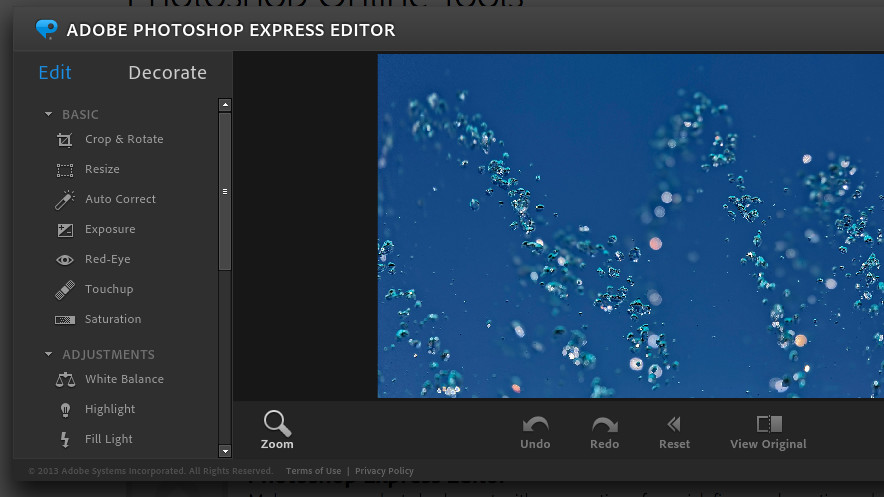
Photoshop Express is a good and lighter version of Photoshop. It is highly designed for quick edits on mobile. It’s useful when I need fast professional adjustments without opening a full desktop editor.
With this app, You can: fix lighting issues, remove blemishes and crop and resize cleanly.
This is best for quick professional fixes and it is useful for Power without complexity
Choose One.
There are still a lot of photo apps there on the internet. From my experience, you don’t need to use every photo editing app for your editing. Instead, just choose one or two that fit your needs and master them. A well-edited photo is not about filters. It is all about the clarity, balance, and purpose.
If you are just starting you can use the Snapseed or Canva, or capcut editing photo app. Then, If you want professional results, try and learn how to use lightroom
For those that love creativity and experimental edits, PicsArt or VSCO are excellent choices.
Ultimately, the best tool is the one you actually enjoy using consistently. Learning to work deeply with a single app often produces far better results than hopping between many. It also helps you develop a personal editing style that becomes instantly recognizable in your content.